
A lightweight creator setup is not just a smaller bag. It is a different way of working.
When one person is moving between stills, video, tabletop content, audio, and quick social clips, the problem is rarely one missing camera accessory. The problem is that every shot asks for a slightly different support system. A camera needs height. A product shot needs a low angle. A talking-head clip needs a steady pan. A small light, phone, monitor, or audio receiver needs somewhere to live without adding another stand to the room.
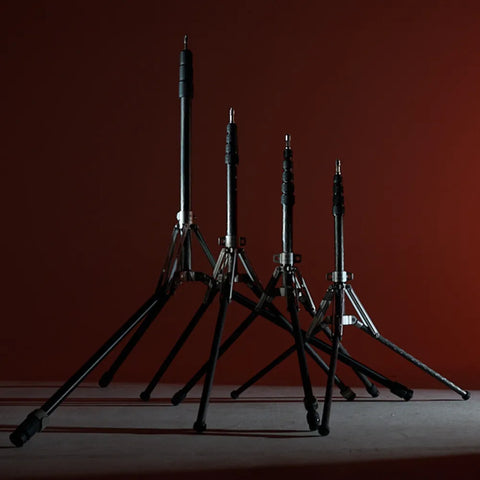
Harlowe Rocket Air was built for that kind of day: one compact carbon fiber tripod and detachable fluid-head kit that can move between camera, phone, lightweight light, audio, tabletop, travel, and mobile content setups. This is the practical version of the promise behind What Fits in the Bag: bring the support, because the support finally earns its place.

Start with the jobs, not the gear list
The easiest mistake is to shop for support as a list of objects: tripod, light stand, desk arm, phone clamp, monitor arm, audio clamp. That list gets heavy before the shoot even starts.
A better way is to start with the jobs the setup needs to do:
- Hold a mirrorless camera or compact video rig at real working height.
- Give slow pans and tilts enough control to look intentional.
- Drop quickly into tabletop and low-angle content.
- Support small accessories such as a monitor, wireless receiver, or recorder.
- Travel without forcing a second bag or a dedicated stand case.
Rocket Air answers those jobs with a 2.2 lb / 1 kg total system weight including the fluid head, a 19.7 in / 50 cm folded length with the head attached, under-three-second deployment, and a detachable fluid head rated for 6.61 lb / 3 kg. The tripod itself supports up to 22.05 lb / 10 kg, which gives most mirrorless and compact creator setups room to work without turning the kit into a studio stand.
The base setup: camera, fluid head, and one clean movement
For hybrid creators, the fluid head matters because the camera does not only take stills anymore. It records interviews, B-roll, vertical clips, product motion, behind-the-scenes footage, and quick educational content. A ball head can lock a frame, but it will not make a slow pan feel calm.

Use Rocket Air with the fluid head attached when the camera is the center of the setup: a product detail move, a short interview, a creator talking to camera, a travel scene, or a slow reveal. The head supports smooth pan and tilt movement, while the carbon fiber legs keep the kit light enough to bring into the location rather than leaving it in the car.
This is also where Rocket Air differs from a basic travel tripod. A regular tripod can hold the camera. A creator support system has to hold the camera in a way that makes switching from stills to video feel normal.
The second layer: accessories that usually need another stand
Once the camera is steady, the next friction appears: where does everything else go?
A one-person setup might need a wireless receiver, small recorder, field monitor, phone, compact fill light, or reference device. Without mounting points, those accessories end up balanced on a table, clamped to a chair, or carried as a second stand. None of that helps when the location is tight or the light is changing.

Rocket Air includes two side-mounted 1/4-inch ports on the leg assembly. That small detail changes the shape of the setup. A field monitor or wireless receiver can attach to the support you already brought. A small recorder can stay close to the camera. The kit becomes cleaner, faster, and less dependent on improvised surfaces.
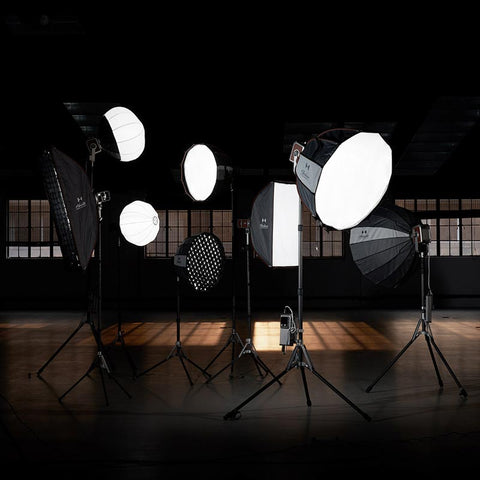
If the shoot also needs light, pair Rocket Air with compact Harlowe lighting rather than overbuilding the support. A small light such as Pocket Flash can stay in the camera kit for fast on-camera work, while the ideas in On-Camera Flash Looks Flat? show why light position, softness, and warmth matter more than raw output alone.
When to remove the fluid head
The fluid head is the right choice when the camera needs controlled motion. It is not always the right choice when the stand needs to become a light or device support.
When the head comes off, Rocket Air reveals a dual 1/4-inch and 3/8-inch stud at the top of the center column. That gives the tripod a second life during the same shoot: it can hold a lightweight light, microphone, monitor, phone mount, projector, or another small device when the setup calls for it. The key word is lightweight. Always check the device, adapter, balance, and load rating before trusting the setup, especially outdoors or around foot traffic.
For product, food, beauty, desk, and creator-commerce work, that flexibility is often more useful than carrying a separate stand. One support can begin the day as a camera tripod, become a low-angle product support, then finish as a lightweight accessory stand for the final clip.
Low-angle and tabletop content should not require a second kit
Modern creator work often happens close to the surface: products on a table, a maker's hands, a small business packing an order, a beauty item on a counter, a recipe step, a light test on a desk. A full-height tripod that cannot get low becomes awkward in exactly the scenes that now matter most.

Rocket Air uses a three-position press-buckle leg spread and an inverted center column for low-angle work. That means the setup can adapt to a desk, floor, product surface, or close detail without asking the creator to rebuild everything around a mini tripod.
A simple Rocket Air creator kit
For a lightweight one-person kit, start here:
- Rocket Air Standard Kit: camera support, fluid movement, low-angle work, and accessory mounting in one compact system.
- Compact camera or phone mount: choose the camera or phone rig that matches the day's output.
- Small Harlowe light: keep the lighting compact enough to match the support system.
- Wireless audio: attach the receiver or recorder to a side port when it keeps the camera build cleaner.
- Small counterweight: use the center column hook when wind, uneven ground, or a front-heavy setup needs more stability.
That kit is not meant to replace a full studio. It is meant to stop everyday creator work from becoming a gear negotiation. It helps the camera move, the light stay close, the accessories stay organized, and the creator keep moving.

Why this matters now
Creator work is becoming more commercial, more social-native, and more multi-format. Goldman Sachs has described the creator economy as approaching half a trillion dollars by 2027. Deloitte's Digital Media Trends research shows how much media discovery and fan behavior now happens across digital and social platforms. CIPA's camera statistics also show that dedicated camera and lens ecosystems remain active, which matters for creators who still care about image quality.
The practical takeaway is simple: creators are not buying support gear for a single camera job anymore. They are buying systems that can keep up with the way content is actually made.
Who Rocket Air is for, and who it is not for
Rocket Air is for hybrid photo/video creators, solo educators, YouTubers, travel photographers, tabletop creators, small business content teams, and anyone who wants one refined support system for camera, phone, lightweight light, audio, monitor, and compact accessory workflows.
It is not the right answer for heavy cinema rigs, oversized lenses, extreme load scenarios, or studio setups that need a large professional video tripod. That boundary matters. The point of Rocket Air is not to make the biggest rig possible. The point is to make the everyday creator setup smaller, cleaner, and more likely to come with you.
Start with the support that earns its place in the bag. Then build around it.


